Lately I’ve been experimenting more and more with agentic coding. Mostly remote coding from my phone, and honestly I’m getting a lot done on my hobby projects this way. I’m loving it.
So I wanted to try something a bit bigger.
I love Typora. But there were a few things I wanted to change, and I don’t really use most of what it does. I just want a calm place to write, and a few small things that fit how I work. So I thought, hmm, what if I just build it myself? Something made for me, that I can change whenever I want.
Just talking to it
I opened the Claude Code app on my phone, connected to my computer at home, and just started talking. Describing what I wanted, pretty loosely.
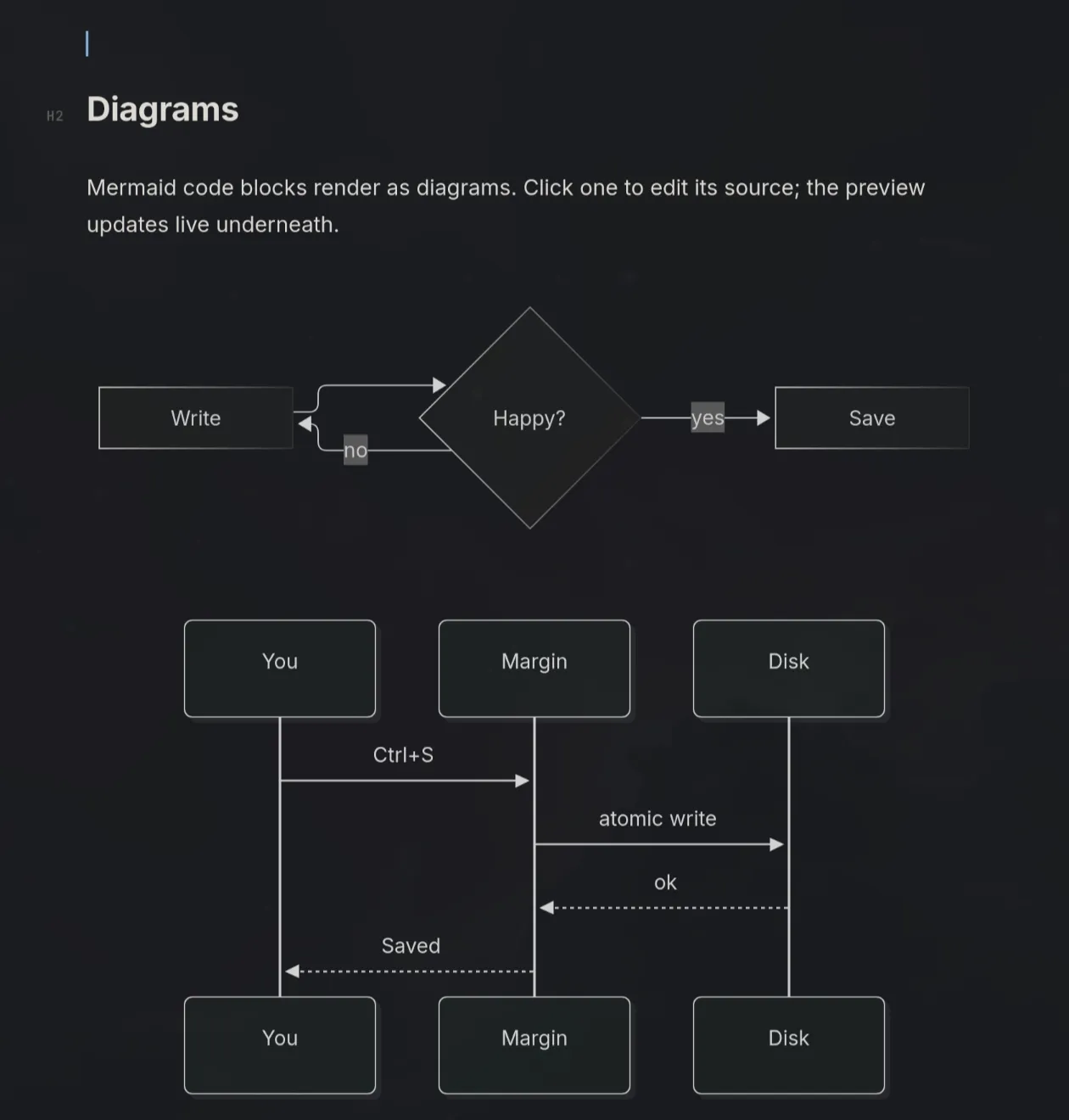
It worked for about 45 minutes, and then I had a prototype I could test on my lunch break. And it works great! It does almost exactly what I wanted. I only had to fiddle a little bit with how Mermaid diagrams are displayed.
Say hi to Margin
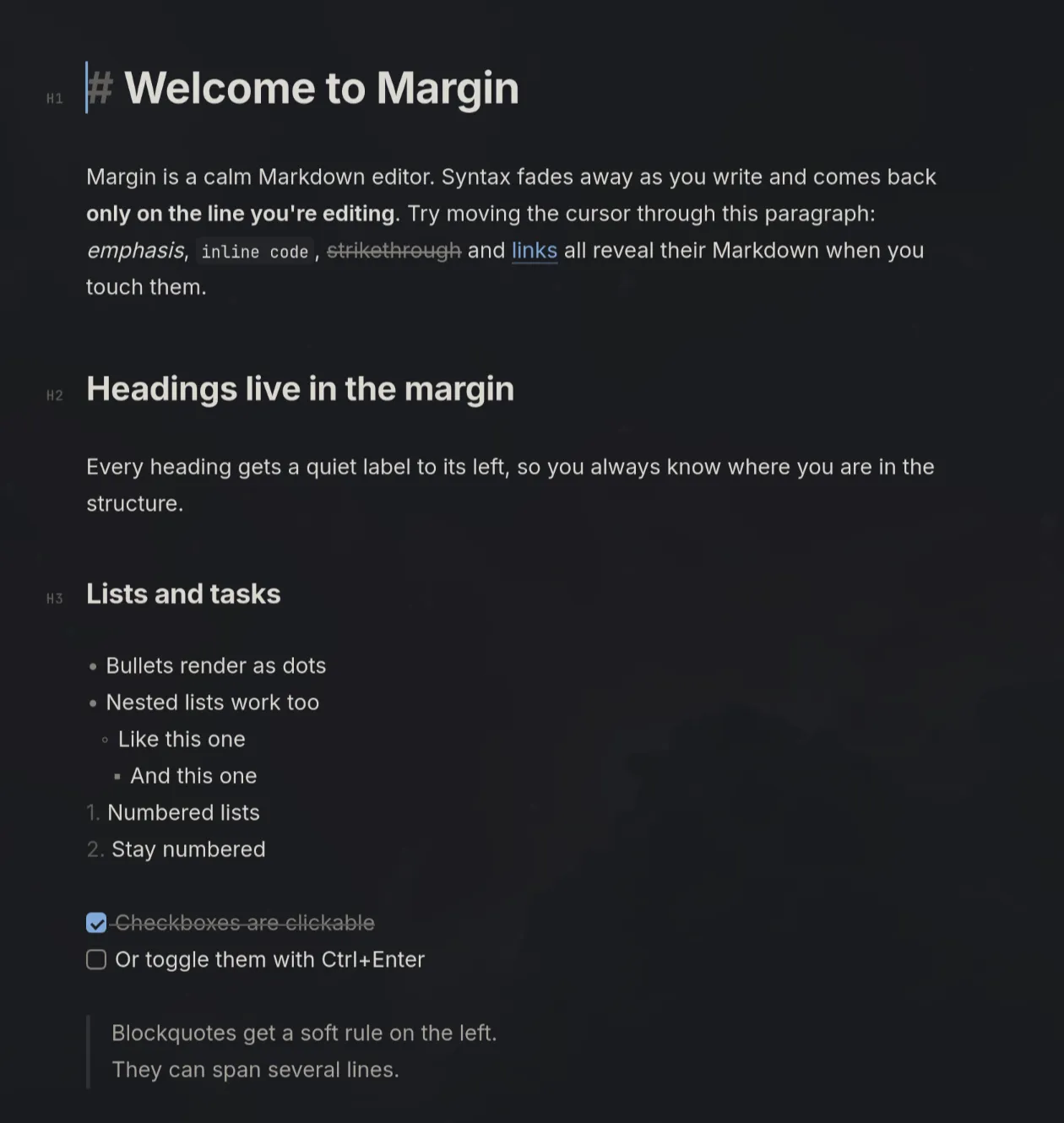
The Markdown syntax fades away as you write and only shows up on the line you’re on. Headings get a small label in the margin, and tables, task lists, and Mermaid diagrams show up right in the document.
Since then I’ve kept nudging it with small things, like autosave and an install script. That’s the fun part, I think. When something bugs me, I just ask for it to change.
Want to peek?
It’s a fun little vibe-coded thing. If you want to check it out, the code is on GitHub under MIT. I’ve only tried it on Linux so far, so no promises anywhere else.
Oh, and this post? Also written together with Claude, remotely, partly from my phone with voice to text and partly from my iPad. It kind of feels like cheating. But a fun kind.